
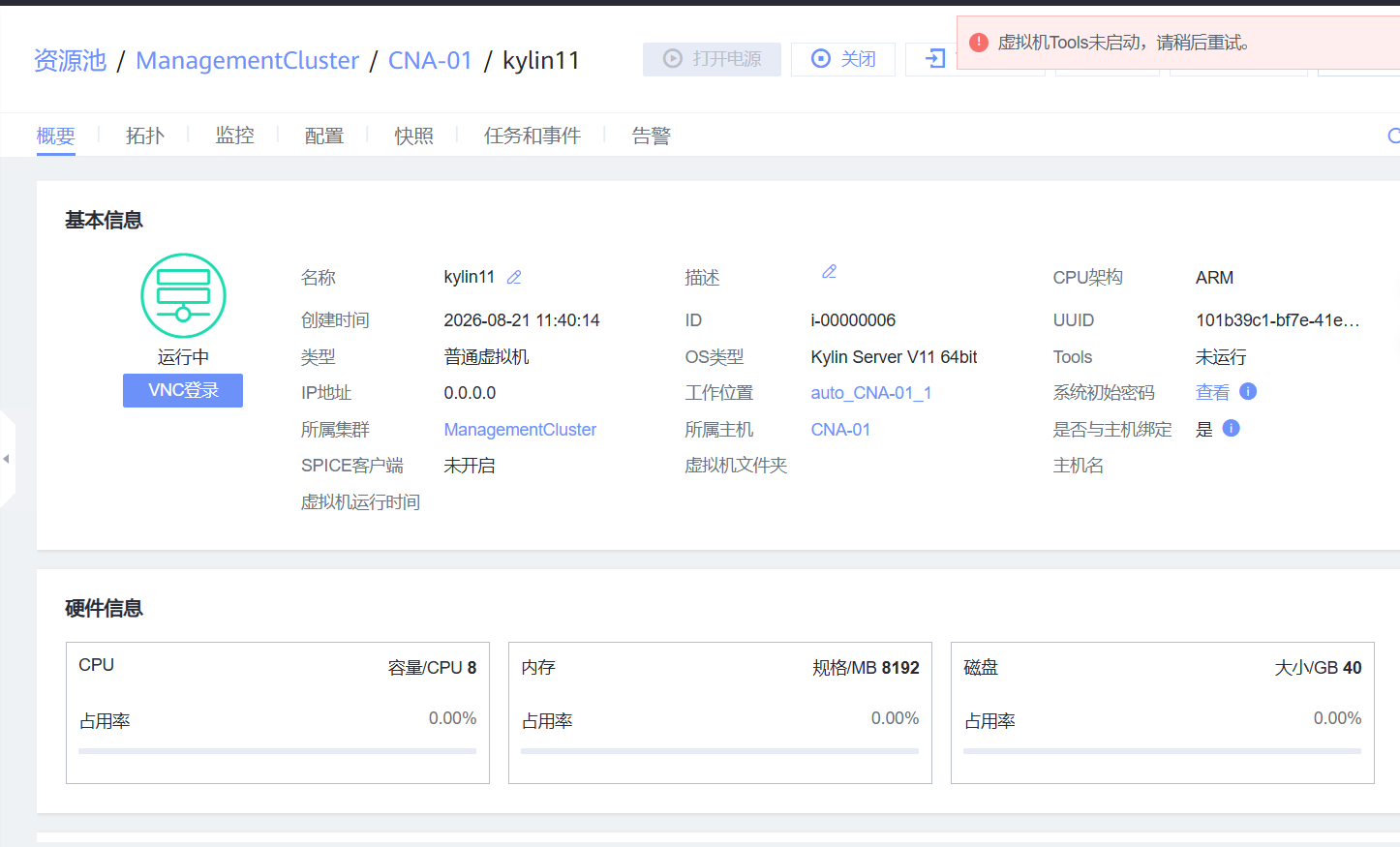
点击关闭 提示 虚拟机tools未启动请稍后重试。
原因是 tools 未挂载或者 挂载后未运行
1、挂载tools
在更多-->tools-->挂载tools,选择挂载tools
2、运行tools
进入系统查看挂载磁盘会发现 挂载的tools磁盘
[root@kylin10test ~]# lsblk
NAME          MAJ:MIN RM  SIZE RO TYPE MOUNTPOINTS
sr0            11:0    1 1000K  0 rom
vda           253:0    0   40G  0 disk
├─vda1        253:1    0  600M  0 part /boot/efi
├─vda2        253:2    0    1G  0 part /boot
└─vda3        253:3    0 38.4G  0 part
  ├─klas-root 252:0    0 34.4G  0 lvm  /
  └─klas-swap 252:1    0    4G  0 lvm  [SWAP]
执行命令在虚拟机内部检查华为Tools的核心进程是否正在运行。
[root@kylin10test ~]# systemctl status vm-agent
Unit vm-agent.service could not be found.
[root@kylin10test ~]# ps -ef | grep vm-agent
root        3738    3648  0 11:13 pts/0    00:00:00 grep --color=auto vm-agent
经查看 tools 进程并未正常运行,怀疑是系统的qemu-ga进程正在运行造成端口冲突
查看 qemu-ga 进程,看是否有自带的qemu-guest-agent 在运行,如果存在则尝试关闭并删除卸载
# 查看进程
ps -ef | grep qemu-ga
root         861       1  0 10:06 ?        00:00:00 /usr/bin/qemu-ga
root        5840    5784  0 10:38 pts/1    00:00:00 grep --color=auto qemu-ga
# 关闭卸载服务
systemctl stop qemu-guest-agent
systemctl disable qemu-guest-agent
rpm -qf /usr/bin/qemu-ga
rpm -e qemu-guest-agent
删除完后安装tools 服务
# 创建挂载点并挂载光驱
mkdir /mnt/cdrom
mount /dev/sr0 /mnt/cdrom
# 进入挂载目录执行安装脚本
cd /mnt/cdrom
ls -l
-r--r--r-- 1 root root    828  3月 12 15:35 check_vmtools_integrity.list
-r-xr-xr-x 1 root root  17781  3月 12 15:35 cpfile.sh
-r-xr-xr-x 1 root root   6797  3月 12 15:35 get_uvp_kernel_modules
-r--r--r-- 1 root root     25  3月 12 15:35 UpgradeInfo.ini
-r--r--r-- 1 root root 298663  3月 12 15:35 vmtools-3.0.0.071.tar.bz2
-r--r--r-- 1 root root     92  3月 12 15:35 vmtools-3.0.0.071.tar.bz2.sha256
-r--r--r-- 1 root root 318510  3月 12 15:35 vmtools-3.0.0.071.tar.gz
-r--r--r-- 1 root root     91  3月 12 15:35 vmtools-3.0.0.071.tar.gz.sha256
# 拷贝到/root/下
cp vmtools-3.0.0.071.tar.gz /root/
cd /root/
tar -zxf vmtools-3.0.0.071.tar.gz
cd vmtools
ls- l
drwx------ 3 root root    20  3月 12 15:34 etc
-rwxr-xr-x 1 root root 79969  3月 12 15:34 install
drwx------ 3 root root    19  3月 12 15:34 usr
-rw------- 1 root root 11079  3月 12 15:34 vm-agent.conf
-rw------- 1 root root 11079  3月 12 15:34 vm-agent.conf.base
[root@kylin10test vmtools]# ./install
Found VMTools CDROM mounted at /run/media/root/CDROM, umount automatically.
Found VMTools CDROM mounted at /mnt/cdrom, umount automatically.
Start Installation :
  Install UVP VMTools agent service.
The UVP VMTools has been installed successfully.
[root@kylin10test vmtools]# systemctl status vm-agent
● vm-agent.service - UVP vm-agent
   Loaded: loaded (/etc/systemd/system/vm-agent.service; enabled; vendor preset: disabled)
   Active: active (running) since Mon 2026-08-31 10:46:27 CST; 19s ago
 Main PID: 6630 (vm-agent)
    Tasks: 18
   Memory: 16.5M
      CPU: 525ms
   CGroup: /system.slice/vm-agent.service
           ├─6630 vm-agent --blacklist=guest-file-write
           └─6690 vm-agent --blacklist=guest-file-write
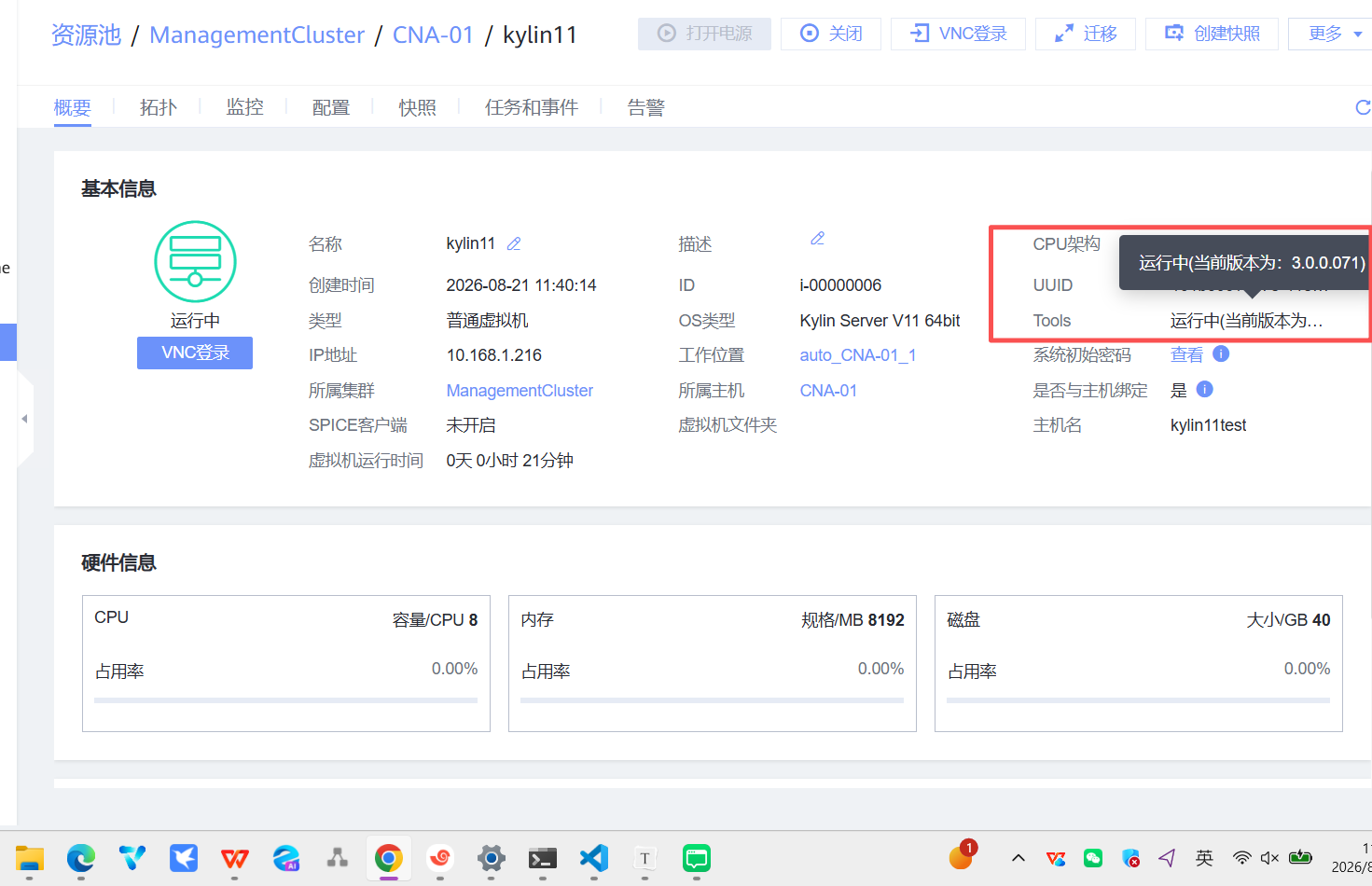
进入控制台页面会发现tools会变成运行中